





Skip to content
Keyframe
PricingFAQ
Sign inOpen studio
LayersMake animationAgentWork galleryCapabilities

Animate with an Agent. Keep every keyframe.

Not a rendered video. Layers and keyframes you can edit.

Split this picture into layersAgentSee how it works

Free · No sign-up · Runs on your device

01 · Layers

AI video gives you pixels. Keyframe gives you layers.

Agent
YouSplit this picture into layers
Woodland
Far hind leg
Far front leg
Tail
Body
Near hind leg
Near front leg
Far ear
Head
Near ear
Start separating

Candidates · adopt to apply

AdoptDiscard
Project · Layers

02 · Make animation

Your animation tools, right here.

Scroll to see a picture become an animation.

01 / 04Rigging

Live illustration · real separation · drag the Rose Gold ring
Firefly
Graph EditorPosition · X
0s1s2s3s4s
▾ Firefly
Position
▸ Flame
▸ Left arm with blue lamp
▸ Right arm with golden cup
▸ Head and neck
▸ Blue dress
cubic-bezier(0.22, 1, 0.36, 1)
Live illustration
Effect Controls · Flame
fxHandle swaywiggle(7, 24)
fxTurbulent Displace
fxGlow
Live illustration
WebM · alphaMP4PNG sequence
Export
All on this device, nothing uploaded

The whole picture bends.

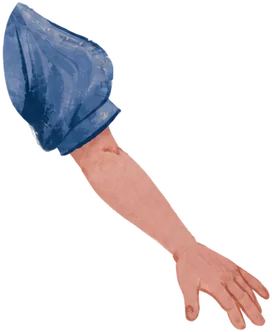
Draw bones, skin the layer, drag — and the arm moves.

Keyframes and curves set the rhythm.

Keyframes and curves, the way you know them.

Make the flame burn.

Painting, expression, turbulence, glow — stacked layer by layer.

Export on your device.

WebM with alpha, MP4 or an image sequence.

03 · Agent

One Agent. Your tools.

Choose an example. Preview, apply, undo.

Agent
You

Draft · a gentle swing that loops

  • Boy and swing · Rotation: add eased keys about the branch
  • Falling leaves · Opacity: fade over the last second
ApplyDiscard
Undo ⌘Z
▾ Boy and swing
Rotation
Leaves · Opacity
Live illustration

More than one kind of animation

Made with Keyframe.

Characters, scenes and hand-drawn lines.

Live illustration

A classic animation core

The tools you know.

From keyframes to a whole world.

  • glow.scale = jar.brightness * 0.8

    Expressions

    Connect properties with deterministic Expressions. Let one idea drive the whole scene.

  • Gaussian BlurHue/SaturationGlow

    92 effects

    Color, blur, distortion, keying and simulation in an editable effect stack.

  • Create

    Text animators

    Select characters, words or lines. Animate position, opacity and rotation.

  • 3D cameras & lights

    Bring layers into one space. Compose with cameras, lighting and shadows.

  • Tracking

    Track points and planes. Apply the motion to transforms or stabilization.

  • Roto

    Brush in the subject, propagate and freeze the result, then refine its edges.

Create with confidence

Your work. Your decisions.

Your choices, every frame.

Saved in your browser

Projects and assets stay here. Export runs locally. AI sends required inputs to the model.

What you preview is what you export

The same rendering path samples every frame.

=

One step back

Undo an applied change in one step.

⌘ / Ctrl + Z

You approve the draft

Preview Agent changes before applying them.

Preview → Apply

Pricing

Free to create. Subscribe for the Agent.

Studio

Freeforever

Everything you need to animate by hand.

  • Full editor with timeline, curves and effects
  • Preview and export WebM or MP4
  • Projects saved on your device
  • No account needed
Open the studio

AgentEverything in Studio

US$19/ month

Create with the Agent, and every AI tool that comes with it.

  • The Agent plans and edits your animation
  • Generate artwork and separate layers
  • Review every change before it applies
  • Fair-use limits, never surprise charges
Create an account

Paddle shows taxes, renewal terms and the final amount before you pay. Payments are non-refundable: see the Refund policy.

FAQ

Questions, answered.

  1. 01Do I need an account?+

    Not for the studio. You can create, edit and export without signing up. An account is only needed to subscribe to the Agent.

  2. 02Where are my projects stored?+

    In this browser, on this device. Signing in never uploads your projects. Export a .keyframe package to back up a project or move it to another computer.

  3. 03What does the Agent send to AI providers?+

    Only the project context and images a task needs. Your project, assets, history and Agent conversations stay on your device.

  4. 04What can I export?+

    Video as WebM (including transparent backgrounds) or MP4, a still of the current frame, and the full project as a .keyframe package.

  5. 05What happens when I reach the fair-use limit?+

    New AI requests pause until your next billing period. You are never charged extra, and everything you have already made stays editable.

  6. 06Can I cancel anytime?+

    Yes. Manage or cancel from your account through Paddle. The Agent stays available until the end of the current billing period.


Your first keyframe is one click away.

Open the studioFree · No sign-up
Keyframe

An animation studio in your browser, for hand-made motion and Agent-assisted work.

Studio

Account

Your accountCreate account

Legal

Terms of servicePrivacy policyRefund policy

Elsewhere

Xkarlmarx.1818@outlook.com
© 2026 KeyframeMade frame by frame.